Zappi offline: why it happens and how to reconnect it
A Zappi showing offline has almost always lost touch with myenergi's servers, not lost power. Here's the correct restart order, and how your model affects the fix.
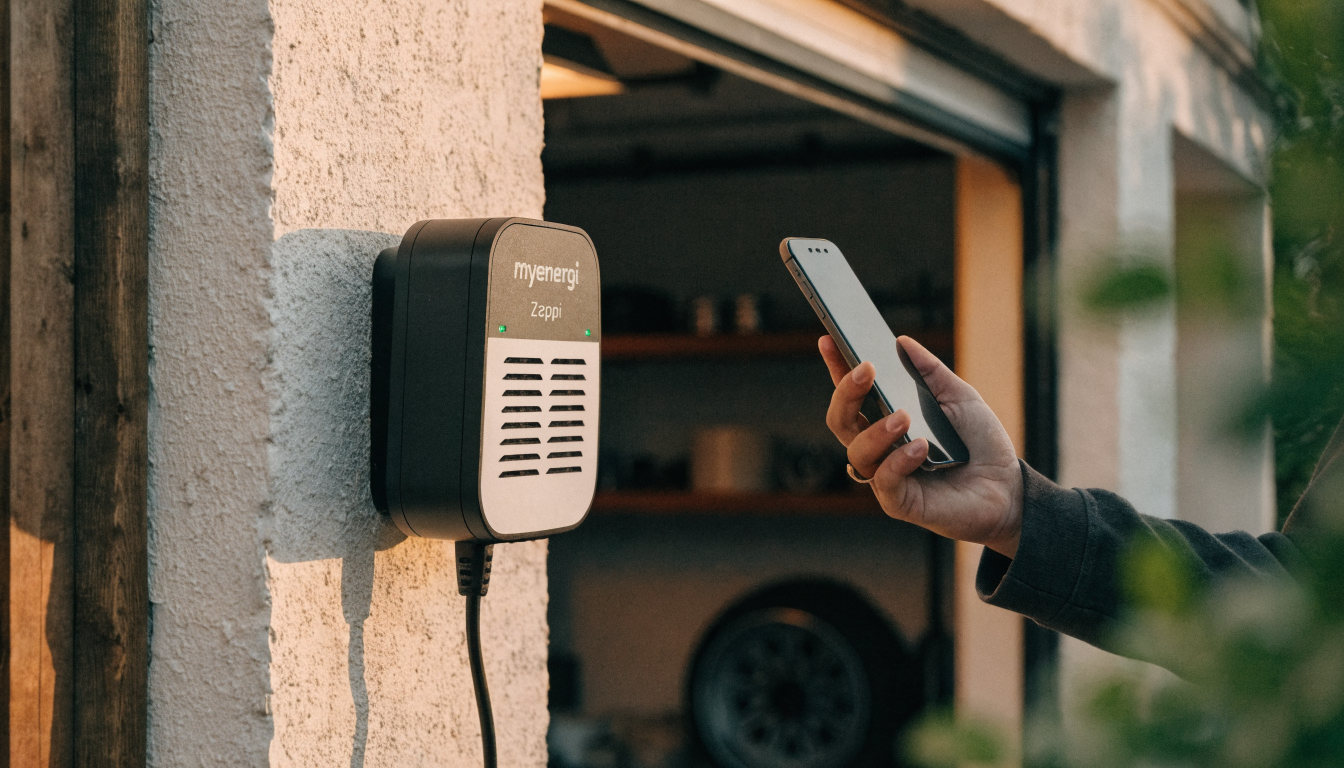
Zappi offline in the myenergi app almost always means it's lost its connection to myenergi's servers, not lost power. Check the charger's own screen before the app: if it's lit and responding, the unit still has power, and your fault is the Wi-Fi or the hub, not the electronics. A full restart, done in the right order, clears most cases within a few minutes.
What you're seeing
The myenergi app shows your Zappi as offline, sometimes with a yellow warning triangle next to it, and you can't see live charging data or change any settings. The car might still be charging normally, ignoring the app entirely, or it might have stopped along with the connection.
It's confusing because nothing about the charger itself looks wrong. The screen on the front is often still lit, showing a normal-looking status, while the app insists the unit can't be reached at all. That gap between what the charger shows and what the app shows is the clue: this is usually a break in the link between the two, not a fault in either one on its own.
This is a different fault to the charger tripping or refusing to charge outright, which is a wiring and safety question rather than a network one — see what kW means for your charging speed and how AC and DC charging differ if speed, not connectivity, is your actual concern.
Why it happens
The Wi-Fi connection has genuinely dropped
A weak signal at the charger's location, a router that's rebooted, or a change of broadband provider are the most common causes. If your internet provider changed recently, your router was very likely replaced, which means a new network name and password your Zappi doesn't know about yet.
Your Zappi's connection method depends on its model
Zappi models with an "H" in the model number have Wi-Fi and a hub built directly into the unit. Earlier models need a separate myenergi hub. The hub plugs into your router to reach the internet. If you're on an older model and the hub loses power, or loses its own connection, the Zappi shows offline. The charger's own electronics can be working perfectly the whole time.
The app or the device has a stuck, cached state
Some owners report a Zappi showing offline while their broadband clearly still works. Every other device in the house stays online. In several documented cases, a simple reconnection didn't fix it. What worked instead was a factory reset with the Wi-Fi details re-entered by hand, or even just a scheduled power cut that forced a full restart. That points to a stuck internal state, not a real loss of signal.
A firmware update is overdue
Older firmware occasionally struggles to hold a stable connection to myenergi's servers. An update usually resolves this permanently, rather than the connection dropping again every few days.
How to fix it
- Check the charger's own screen first. If it's lit and shows a normal status, the unit has power, and the fault sits in the network connection rather than the electronics.
- Reboot the Zappi on its own. Stop any active charging session, press the menu button once, then press and hold it to restart the unit. This alone clears many temporary connection drops.
- Do a full, correctly ordered restart if that doesn't work. Power everything off at the Zappi's own RCBO breaker. Power your router back on and give it a couple of minutes to settle. Then power on the myenergi hub, if you have a separate one. Power the Zappi on last.
- Re-pair the Wi-Fi if your router or broadband provider has changed. A new router almost always means a new network name, and your Zappi needs those details entered again through the app.
- Check for a pending firmware update in the myenergi app once the unit reconnects, and let it install fully before testing again.
- Try uninstalling and reinstalling the myenergi app, if the charger looks fine on its own screen but the app still won't see it. This clears a stuck local session on your phone rather than anything on the charger.
- Contact myenergi support if it's still offline after a full restart, with your serial number and how long it's been disconnected. A unit that stays offline after every step above may have a genuine hardware fault in its Wi-Fi module or hub.
Which Zappi you have changes how you fix it
| Model type | How it connects | Needs a separate hub? |
|---|---|---|
| Zappi with "H" in the model number | Built-in Wi-Fi and hub (vHub) | No |
| Original Zappi, no "H" | Wi-Fi board fitted at install | Yes, a myenergi hub |
| Any Zappi connected via Ethernet cable | Wired connection; Wi-Fi is forced off | No, but the router and cable both need checking |
| Any Zappi with a separate myenergi hub | Hub bridges the charger to your router | Yes — check the hub's own power and lights too |
If you're not sure which you have, the model number is printed inside the front cover, and it's worth checking before you spend time troubleshooting the wrong piece of hardware.
What it costs
Fixing a genuine connectivity fault costs nothing beyond your time — every step above is either a restart or a setting, not a repair. Every Zappi carries a three-year warranty as standard, and a hardware fault in the Wi-Fi module or hub within that period is a covered repair, not something you pay for.
The real cost of staying offline is indirect. While the app can't reach the charger, any smart or scheduled charging tied to an off-peak tariff won't run. A car left to charge unsupervised may draw power at the full daytime rate instead of a cheaper overnight one. On a typical home tariff, that gap can add up to several pounds per full charge. Over a week of missed off-peak windows, that's reason enough to fix a connection fault quickly.
When this isn't the answer
If the Zappi's own screen shows "RCD Tripped!" rather than simply going offline, that's a genuine safety trip, not a network fault — see our guide to checking a Zappi's RCD instead, and don't keep resetting a repeat trip by hand.
If the screen shows a numbered comms fault rather than an offline status in the app, that's an internal fault between the charger's own display and its circuit board, not a lost internet connection — our guide to Zappi comms fault 45 covers that separately.
If the charger is online and working, but a schedule you've set simply isn't firing, that's a settings conflict rather than a connectivity fault — see Zappi scheduled charging not working for that specific problem.
What to do next
Check the charger's own screen before you do anything else — it tells you in seconds whether this is a real power fault or just a lost connection, and the fix is completely different depending on which one it is. Reboot the Zappi first, then the full restart sequence if that doesn't clear it.
If your household runs more than one brand of smart charger, our guide to a Hive EV charger showing offline covers a different manufacturer's connectivity fault, and our wider charging-tech section has more on keeping a home charging setup online.
Sources
Common questions
Why does my Zappi show offline in the myenergi app?
It's almost always lost its connection to myenergi's servers, not lost power. Check the charger's own screen first: if it's lit and showing a normal status, the unit has power, and the fault is the Wi-Fi or the hub. A reboot, or a full restart in the correct order, clears most cases within a few minutes.
Does my Zappi need a separate hub to connect to the internet?
It depends on the model. Zappi units with an 'H' in the model number have Wi-Fi and a hub built directly into the charger. Earlier models need a separate myenergi hub plugged into your router. If you're on an older model, check the hub's own power and connection, not just the Zappi itself.
My Zappi shows offline but my internet is definitely working — why?
This does happen, and in documented cases it wasn't a real connectivity fault at all. It was a stuck, cached state inside the charger. A factory reset with the Wi-Fi details re-entered by hand, or even a scheduled power cut that forced a full restart, has resolved it for owners who've hit this specific problem.
Is a Zappi showing offline the same as a Zappi comms fault?
No, they're different mechanisms. Offline means the charger has lost its connection to myenergi's servers over Wi-Fi. A numbered comms fault, such as fault 45, means the display has lost contact with the charger's own internal circuit board, which is an internal hardware issue with no bearing on your internet connection.
What does an offline Zappi cost me if I don't fix it?
Nothing to fix it yourself, since every step is a restart or a setting. The indirect cost is real, though: any schedule tied to an off-peak tariff won't run while the charger is offline, so a car left to charge unsupervised may draw power at the full daytime rate instead of a cheaper overnight one.
About the author
ElectraMile EditorialEditorial desk
The ElectraMile editorial team covers charging, running costs and EV ownership for readers in the UK and US.
Spotted something wrong? Tell us — we correct and date every change.
Figures shown for United Kingdom in GBP. Switch market in the header to see local pricing and terminology.